How to Use Supply Chain Automation to Reduce Costs?
Supply chain automation can reduce costs, but it rarely does so by adding software alone. It connects routine work—purchase orders, inventory updates, shipment notices, and invoice checks—so staff spend less time rekeying data and chasing exceptions. A warehouse team, for example, may use barcode scans to update stock as cartons move from receiving to storage. Small changes matter.
Savings often come from fewer avoidable errors, lower carrying costs, and better use of labor and transport capacity. Yet results depend on clean data, compatible systems, and workflows that reflect how the operation actually runs. Automating a broken process can make mistakes faster. That is easy to overlook. Teams should establish a baseline, such as order-processing time, stock accuracy, and cost per shipment, before comparing results. They should also test a limited workflow and review exceptions with the people handling them.
This guide explains how supply chain automation can target practical cost drivers, from demand planning to warehouse execution and freight coordination. It also considers implementation costs, integration risks, and measures that reveal whether savings are real. No tool removes every delay. A careful rollout, clear ownership, and regular review can make the difference between useful automation and an expensive dashboard.
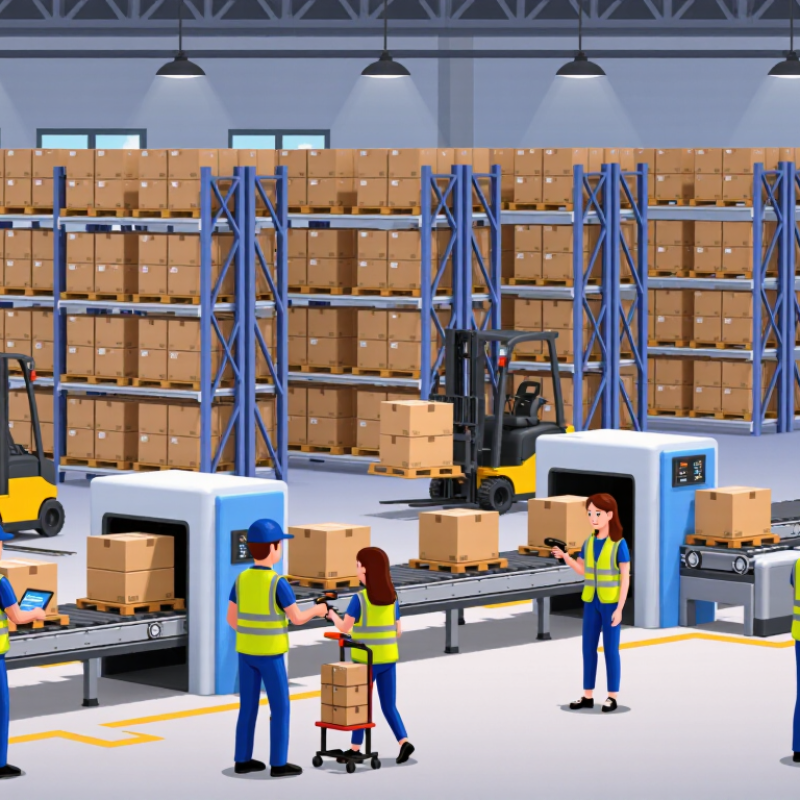
Understanding How Supply Chain Automation Reduces Costs
Supply chain automation reduces costs by making routine decisions faster and more consistent. A warehouse system can update stock levels as items move, instead of waiting for a manual count. That helps prevent excess inventory, which ties up cash and takes up shelf space. It can also flag low stock before a popular item disappears.
Small gains add up. Automated order processing reduces repetitive data entry and the errors that lead to rework, rush shipping, or incorrect invoices. Route-planning tools can compare delivery windows, vehicle capacity, and traffic conditions. Even a small reduction in empty miles can lower fuel use and driver hours. These savings depend on accurate data; outdated product dimensions can make a polished plan useless.
Automation also helps managers see where costs build up. A dashboard might reveal that one supplier regularly misses delivery windows, or that a certain packing step creates delays. Yet installing software alone will not fix a messy process. Teams need clear procedures, training, and a way to handle exceptions. There is a cost to setup, too. A careful trial in one warehouse can show whether the expected savings are real before a wider rollout. Companies should check results against a baseline, not just trust a vendor’s projected return.
Mapping Supply Chain Processes and Identifying Cost Drivers
Mapping supply chain processes starts with observing how work actually moves, not how a procedure says it should. Trace one order from demand planning through purchasing, receiving, storage, picking, and delivery. Record handoffs, wait times, data entry, and exceptions. Start with reality. A warehouse may show plenty of stock, while a spreadsheet misses items held for inspection. That gap can trigger rushed purchases and delayed orders.
Next, connect each process step to a measurable cost driver. Track labor minutes per order, freight premiums, inventory carrying costs, picking errors, and time spent correcting records. Compare normal weeks with peak periods; averages can hide expensive bottlenecks. For example, if staff retype the same delivery details into three systems, measure the minutes involved and the resulting error rate before automating. Keep the baseline simple and dated, so later comparisons remain credible.
Automation should target repeated, rule-based work with clear inputs and outcomes. Alerts for low stock may help, but only if inventory records are accurate and replenishment rules reflect real demand. A small pilot on one product group can reveal whether cycle time or error costs actually fall. Some process maps will be incomplete; that is useful evidence, not a reason to pretend every handoff is understood. Review exceptions with warehouse and purchasing staff, then revise the map before expanding automation.
Choosing Automation Tools for High-Impact Operations
Choosing automation tools for high-impact operations starts with finding where delays and errors actually cost money. Map a process for one week, from purchase order to receiving, and record rework, waiting time, and labor hours. A warehouse might discover that staff spend more time correcting inventory mismatches than moving goods. That detail matters: a tool that automates data checks may outperform a larger system overhaul. Compare options against clear measures, such as fewer manual corrections or faster order processing. Small wins matter.
Tips: Ask the people doing the work where steps stall. Test a tool on one shift or product line, and track results before expanding. Keep a manual fallback.
Prioritize tasks that are repetitive, rules-based, and costly when delayed. Check whether a proposed tool can exchange reliable data with your existing systems, and confirm who will monitor exceptions. A dashboard may look useful, yet still leave staff chasing missing information. I would not assume automation always reduces headcount or costs; setup, training, and maintenance take time. Some workflows are messier than a pilot suggests. Review the results with operators, adjust the process, and only then decide whether broader adoption makes sense.
How to Use Supply Chain Automation to Reduce Costs?
Estimated cost reduction by high-impact operation
In this illustrative scenario, automating invoice processing and demand planning delivers the largest estimated savings. Actual results depend on process design, implementation costs, and operating conditions.
Integrating Automation Across Supply Chain Workflows
How to Use Supply Chain Automation to Reduce Costs?
Integrating Automation Across Supply Chain Workflows
Supply chain automation reduces costs most effectively when information moves cleanly between connected workflows. A receiving scan should update inventory, trigger replenishment rules, and inform order planning without repeated data entry. When these steps operate separately, teams may buy stock they already have or pay extra for urgent shipments. Small errors travel fast.
Start by mapping how orders, inventory, purchasing, and transport currently share data. Automate repeatable tasks, such as matching purchase orders with delivery records or flagging low stock for review. Use clear exception rules so staff can handle damaged cartons, delayed deliveries, or unusual demand. Automation should support judgment, not hide problems.
Track practical measures: manual processing time, inventory discrepancies, late orders, and expedited freight costs. Compare results against a baseline before expanding the system. The first dashboard may look worse because it reveals delays that were previously overlooked. That is useful, but it can also frustrate teams. Clean data and consistent process ownership matter as much as software. Review exceptions regularly, adjust thresholds, and keep a manual fallback for outages or unusual conditions. A few steps may remain imperfect. That is worth acknowledging.
Measuring Cost Savings and Refining Automated Processes
Automation savings are credible only when measured against a clear baseline. Track cost per order, labor hours per shift, picking errors, rework, and expedited freight before changing a process. Include software, integration, maintenance, training, and downtime in the calculation. Otherwise, a lower labor bill may hide costs elsewhere. MHI’s 2024 Annual Industry Report found that 55% of surveyed organizations planned to increase supply chain technology investment. That signals strong interest, not guaranteed savings. Treat it as a reason to measure carefully, not as proof that automation pays off.
Run a pilot in one comparable warehouse zone or order type. Compare results with a similar operation that remains unchanged, and adjust for order volume and product mix. McKinsey Global Institute’s 2017 automation report estimated that 60% of occupations had at least 30% of their activities that could be automated. That does not mean 30% cost savings; automatable tasks are not whole processes. Track exceptions, such as barcode mismatches or replenishment delays, alongside average cycle time. Some weeks, the dashboard will miss context. That gap matters. Review the exception logs with floor staff, then adjust rules, staffing, or handoffs. Recheck costs after the change, including any new maintenance burden.
Related Posts
-
Why Do Global Buyers Need Supply Chain Automation Tools?
-

Top Supply Chain Automation Tools to Boost Your Efficiency?
-

How to Choose the Right Material Handling Systems for Your Business?
-
What is Supply Chain Automation and How Can It Benefit You?
-
Enhancing Warehouse Efficiency: The Impact of AGV Systems on Operational Costs and Throughput
-
Top 10 AGV Vendors Revolutionizing Warehouse Automation and Logistics in 2023